 Pebblery Authenticator
TEST MODE · no real payments
Unlock with your face.
Fill 2FA codes in one click.
Pebblery Authenticator keeps your two-step verification codes encrypted on this PC only. Open it with Windows Hello, then click an account on a sign-in page and the code is filled in for you.
No sign-up · No internet access · Free basics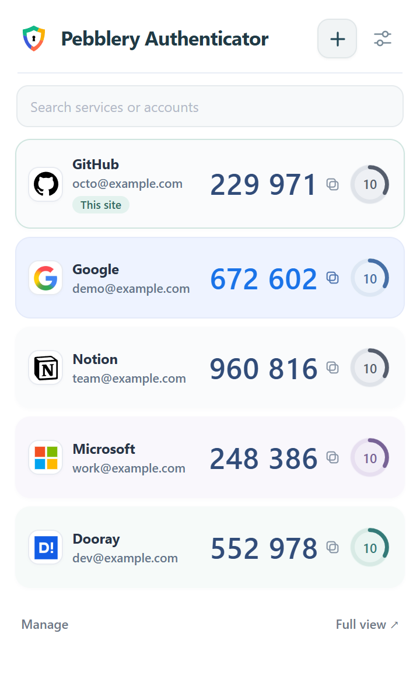
Only the things you do every day, faster
Face or fingerprint unlock
Unlock with Windows Hello. Biometrics stay with Windows; the extension never receives them.
One-click fill Pro
On a sign-in page press Ctrl+Shift+2, then Enter. Check the site address before filling.
Click any card to copy
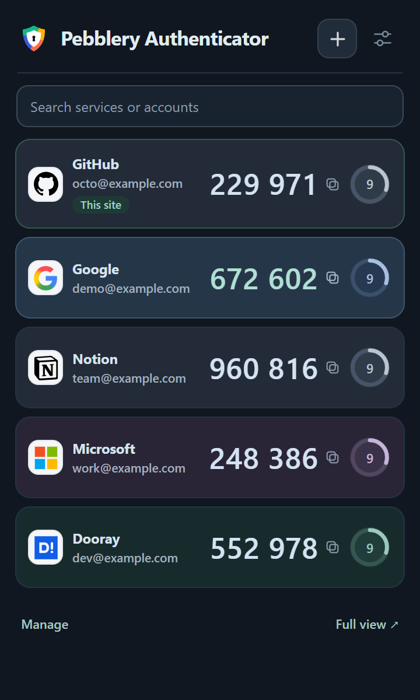
Service icons tell accounts apart, and dark mode follows your browser automatically.
Move from your phone in a minute
- Bring many accounts at once from Google Authenticator's “Export accounts” QR code
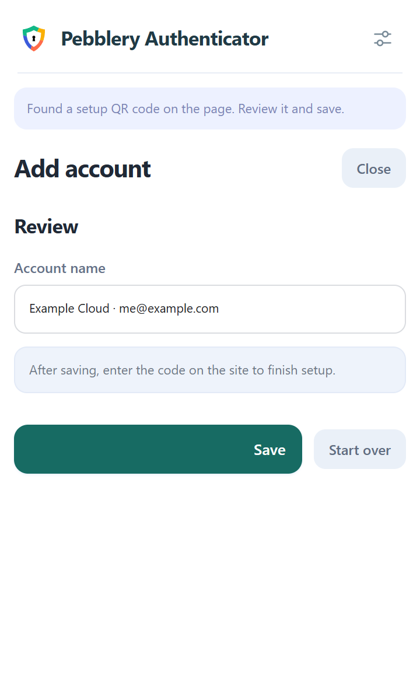
- See a setup QR code on a website? Press + on that page
- No camera? Use a photo of the QR code (PNG or JPG)
- 6 and 8 digits, SHA-1/256/512, duplicates skipped automatically
Never lost, never leaked
- Your vault is always AES-256 encrypted (no way to turn it off)
- The extension has no permission to access the internet at all
- Restore on a new PC from an encrypted backup; Pro backs up automatically
- Restoring only adds accounts; it never deletes or overwrites existing ones
We haven't had an external security audit yet. How it works is documented openly in Help.
Pricing
Every install includes a 7-day Pro trial. No card needed, and your accounts and backups stay when it ends.
Free
$0
- View and copy codes, up to 100 accounts
- Every QR import, 6 and 8 digits
- Windows Hello and local encryption
- Encrypted backup, restore and export
Pro · pay once
—
No subscription · yours for life- One-click fill (matching sites only)
- Automatic encrypted backup (latest 5 kept)
- Accounts for the site you're on, shown first
- Windows Hello grace period: 1, 5 or 15 minutes
- Priority email support
Payments are handled by our reseller Paddle. Card details never reach this site or the extension.
License key
Paste this key in Pebblery Authenticator → Settings → Pro. It's checked on your PC. You can get it again any time with the transaction ID (txn_…) from your receipt email.
FAQ
Can I keep using it for free?
Yes. Viewing and copying codes, imports, Windows Hello, backup and restore stay free. We will not move free features behind a paywall later.
What happens to my accounts if I get a refund or the trial ends?
Nothing. Only one-click fill and automatic backup stop; all your accounts, codes and backups remain. Refunds are available for any reason within 14 days.
Does my data leave this PC?
No. Accounts and codes are never sent to any server. QR reading, search, encrypted backup and license checks all happen on this PC. When you press + in the popup, it looks once for a QR code on the page you're viewing, without saving or sending the image.
Does it work on Mac or my phone?
Right now we focus on Chrome on Windows. Keep your phone's authenticator as it is and use Pebblery Authenticator on your PC.